Edit Gateway and Auto-Login Gateway
2 min
Note: To access the Xunison application, please log in using your registered credentials.
When you log in to your Xunison application, you'll be taken straight to the home gateway page.
Step 1: Select Edit
Click on the "Edit" icon located at the top right corner of the gateway tiles.
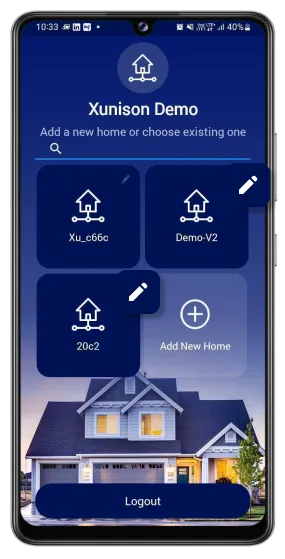
Edit Gateway
Step 2: Edit details
From this section, you have the ability to modify the gateway's name. To enable automatic login to the gateway, check the "Auto-Login to this Gateway" box. Finally, select "Save Changes" to confirm your modifications.
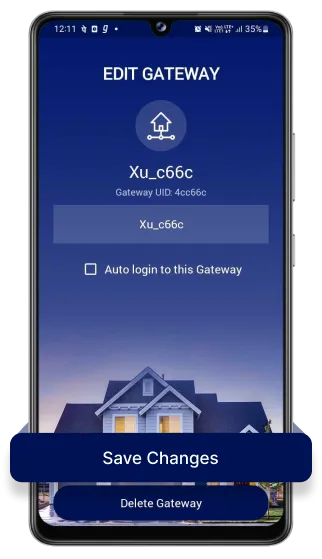
Edit details