Xunison | Knowledge Base
K
All about Q30 and Q50 booster and master devices
đļ
Xunison Hub Q Series
STC Q30 - 06 (Main Device)
đ
Xunison Hub Q50 Home
đ˛
Xunison Android Application
đ
Introduction to Xunison Application
ÂŽī¸
Registration
đ
Provisioning Of The Home Gateway
đ¤
Deprovisioning of the Home Gateway
đĄ
Smart Home
đģ
Device Information
đ
Energy Management
đļ
Router Management
đĒ
Parental Control
đļ
Cyber Security
â
Settings
Logout
đą
Xunison iOS Application
đ
Introduction to Xunison Application
ÂŽī¸
Registration
Log In
Forgot Password
đĒ
Provisioning of the Home Gateway
đ
Smart Home
đļ
Router Management
đĒ
Parental Control
â
Settings
đ¸ī¸
Xunison Web Application
Registration
Log in
Introduction to Web Application
Provisioning of the Home Gateway
Deprovisioning of the Home Gateway
đĄ
Smart Home
đ
Energy Management
đĢ
Parental Control
đ
Cyber Security
QR Code
How To Reset Account Password
Switch X-brain
Logout
đē
Xunison ATV
đ
ATV Wizard Xunison Arabic
đ
ATV Wizard
đŦ
Registration
đ
How To Log In To Xunison Account?
đ
Reboot ATV
â
How To Remove Account?
âī¸
How To Check App Version?
đą
How to Update Firmware?
đ
How To Factory Reset ATV?
đ
Smart Home Application on ATV
đ
Xunison Router Application
đ§âđ¤âđ§
Parental Control Application
đ
Cyber Security Application
đŠī¸
Xunison Weather Application
đ
External Use
đē
Android TV Settings
How To Check The Build Version Of ATV?
How To Check Serial Number From ATV?
How To Disable The App From ATV?
How To Enable The App From ATV?
How To Pair Remote with Android TV?
How to Enable ATV Developer Option?
Docs powered by
Â
Archbee
Xunison Web Application
Smart Home
Schedules
0 min
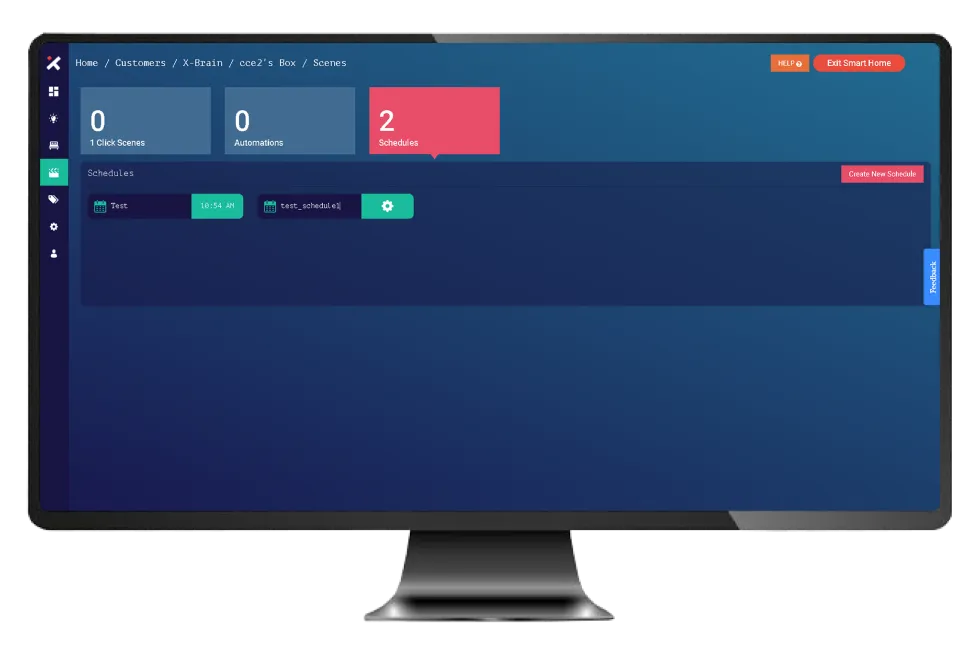
the schedule contains a list of commands that can be executed at a particular time customers can automate commands and routines to run only when they want end users can turn on smart lights and lock their doors through schedules
PREVIOUS
How To Delete An Automation?
NEXT
How to Create A Schedule?
Docs powered by
Â
Archbee
Docs powered by
Â
Archbee